Saturday, October 3, 2020

DJI Mavic 2 Pro vs Phantom 4 Pro V2.0: which is the best drone for you?

The DJI Mavic 2 Pro and DJI Phantom 4 Pro V2.0 may have both arrived in 2018, but they feel like they're from very different eras. In fact, after the incredible success of the DJI Mavic series, it feels like its Phantom line has taken something of a backseat.

But that's not necessarily the case. In fact, the re-release of the DJI Phantom 4 Pro V2.0 in January 2020, after the drone was pulled from sale, has shown that both DJI and its fans are still invested in the Phantom series. And with good reason.

The popularity of DJI's Mavic line is understandable because the series' lightweight and foldable design makes those drones hugely portable. Both the Phantom 4 Pro and Mavic 2 Pro feature a 20MP 1-inch sensor, extremely similar flight times, speeds and battery life, so the question is: why on earth would you buy a larger, heavier and more expensive drone like the Phantom 4 Pro V2.0?

When you first look at these two drones the answer appears to be fairly obvious – you’d be mad to buy the Phantom. The Phantom 4 Pro V2.0 costs $1,729 / £1,589 / AU$2,399 for the basic kit, while the Mavic 2 Pro comes in at a much more palatable $1,599 / £1,349, although it's a slightly pricier $2,499 in Australia. 

Add the Mavic 2 Pro's Fly More bundle, which includes two additional batteries, a carry case, a charging hub, spare propellors and a few other things, and the price is pretty comparable to the Phantom's basic kit. 

But it's only once you start looking more closely at what both drones have to offer in the camera department that the continued relevance of the Phantom series quickly becomes plain to see.

Design and controller

  • The Phantom 4 Pro V2.0 is larger and heavier than the Mavic 2 Pro
  • The Mavic 2 Pro is a highly portable thanks to its foldable design
  • The Mavic's controller is foldable, the Phantom's can take a 10-inch tablet

In terms of design, the Mavic 2 Pro and Phantom 4 Pro V2.0 couldn’t be more different. 

The Phantom follows what you might call DJI’s traditional drone design, which hasn’t changed a great deal from the first Phantom drone models.
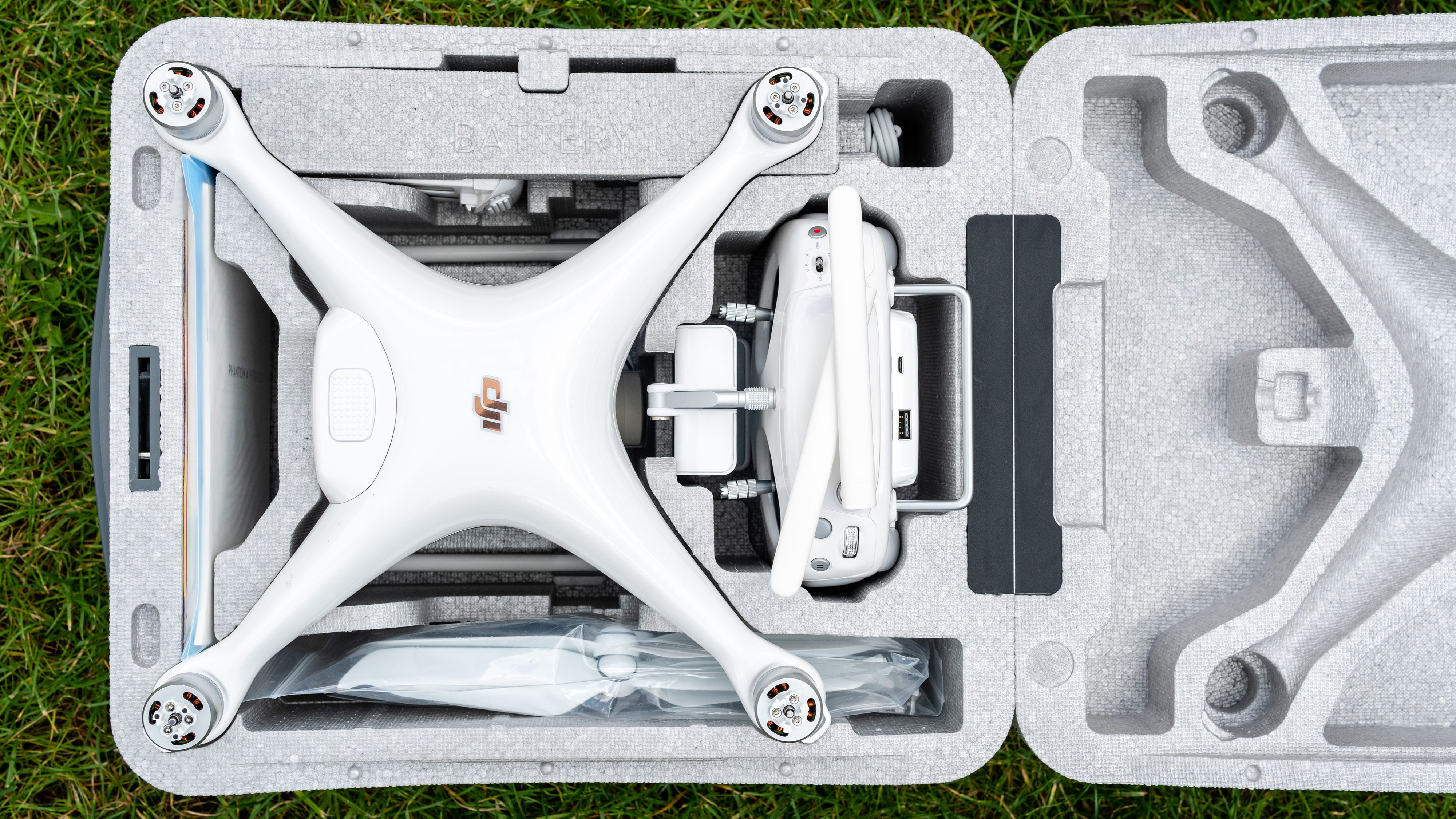
DJI Phantom 4 Pro V2.0

(Image credit: Future)

From above, the Phantom is an X-shape with propellors at the end of each arm – these need to be attached for flight and taken off for transportation. The drone sits on two tall feet that double up as antennas, with the gimbal and camera hanging between them.

The Phantom 4 Pro V2.0 measures 251×398.78×172.72mm and weighs 1,375g with a battery and propellers attached, so in comparison to the Mavic 2 Pro it’s a pretty large and heavy drone.
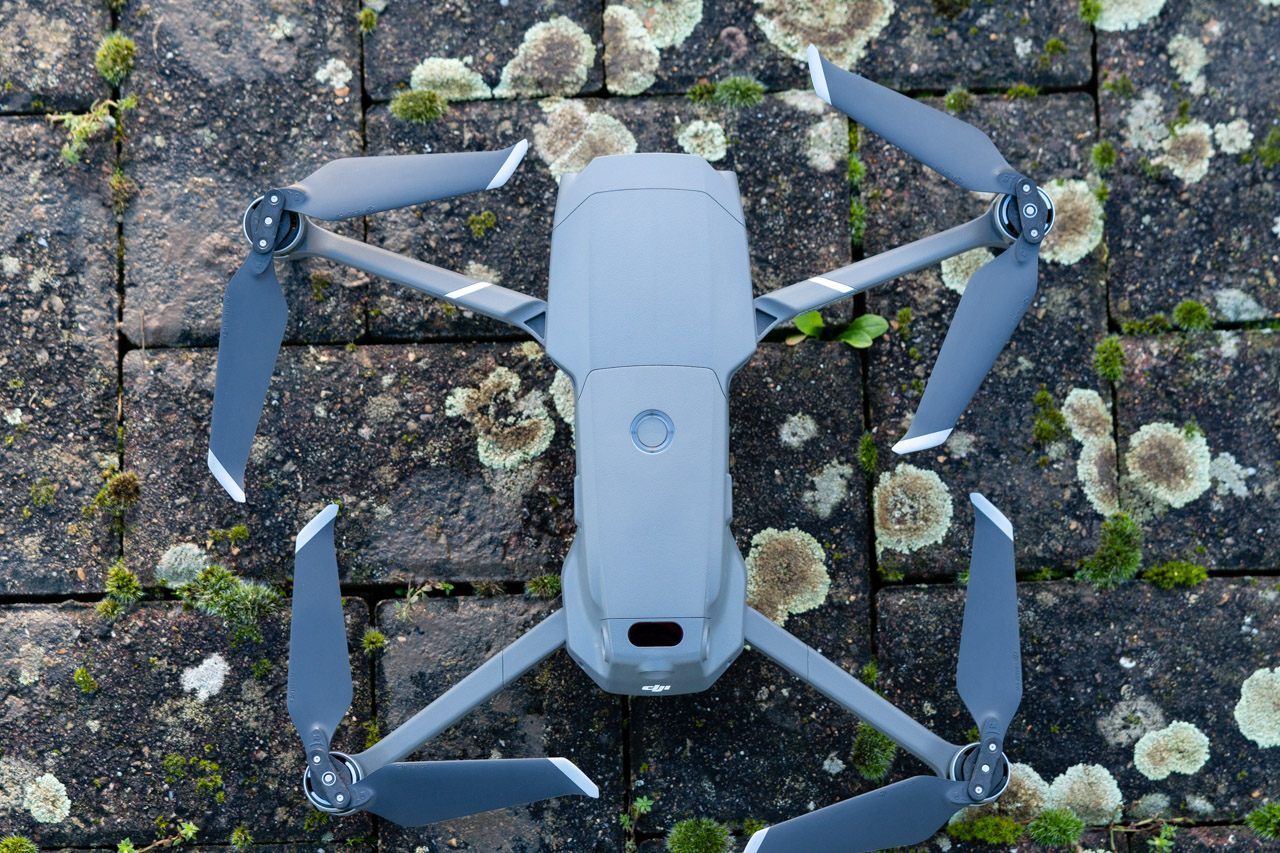
DJI Mavic 2 Pro

(Image credit: Future)

By comparison, the Mavic 2 Pro is just 214×91×84mm when folded and weighs 907g with a battery and propellers installed. 

With the Mavic, the propellers can be left attached during transportation because they rotate, so one half sits over the other.
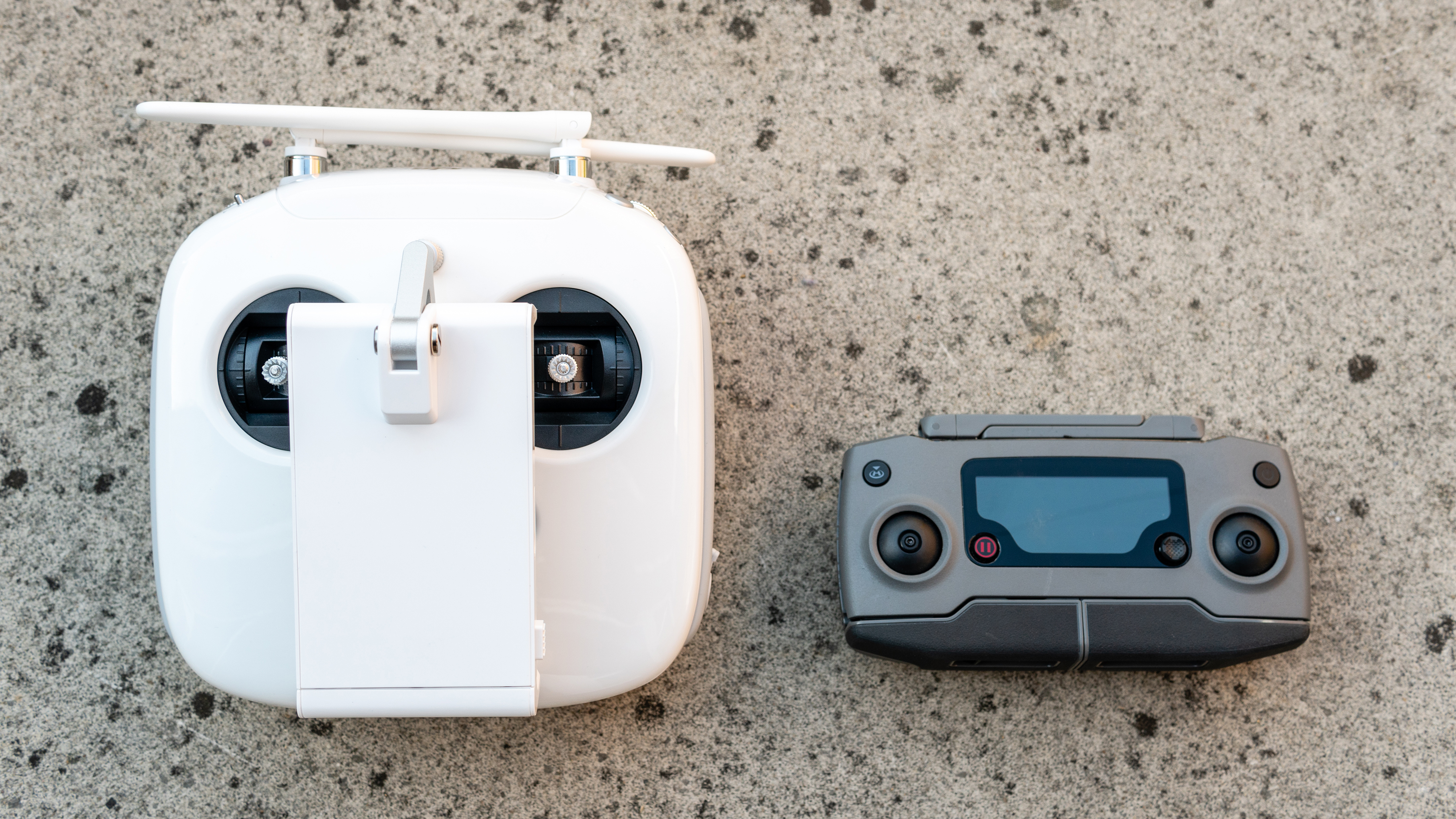
DJI Mavic 2 Pro vs DJI Phantom 4 Pro V2.0

The DJI Phantom 4 Pro V2.0's controller (left) compared to the DJI Mavic 2 Pro's smaller, foldable design (right). (Image credit: Future)

In keeping with these dramatic differences of the drones themselves, the controllers are also profoundly different, despite providing extremely similar controls. 

The Phantom 4 Pro V2.0's controller is large and white with a phone and tablet holder on the front that will accommodate smartphones or tablets up to 10-inches in landscape format. 

By contrast, the Mavic 2 Pro's controller is much smaller and lighter, with folding wings that hold a smartphone at the bottom of the controller. There are a few more direct access controls and a handy LCD screen that provides useful drone and flight information, which the Phantom controller lacks.

Specs and features

  • Both drones feature a large 1-inch 20MP sensor
  • The Mavic 2 Pro has a bigger range of automated flight modes
  • The Mavic also lets you shoot sky-based timelapses and hyperlapses

Moving beyond the design differences between the two drones, which will be one of major factors in your decision between them, it's surprising to find that the features and functionality of the Phantom 4 Pro V2.0 and Mavic 2 Pro are pretty similar. 

In many ways, you could say they’re almost the same drone but in different bodies. But it's when we look at the cameras that important differences come to light.

Both drones feature a variety of flight modes for making the drone behave in different ways and intelligent flight modes that make it possible to achieve a number of advanced video effects at the touch of a button.
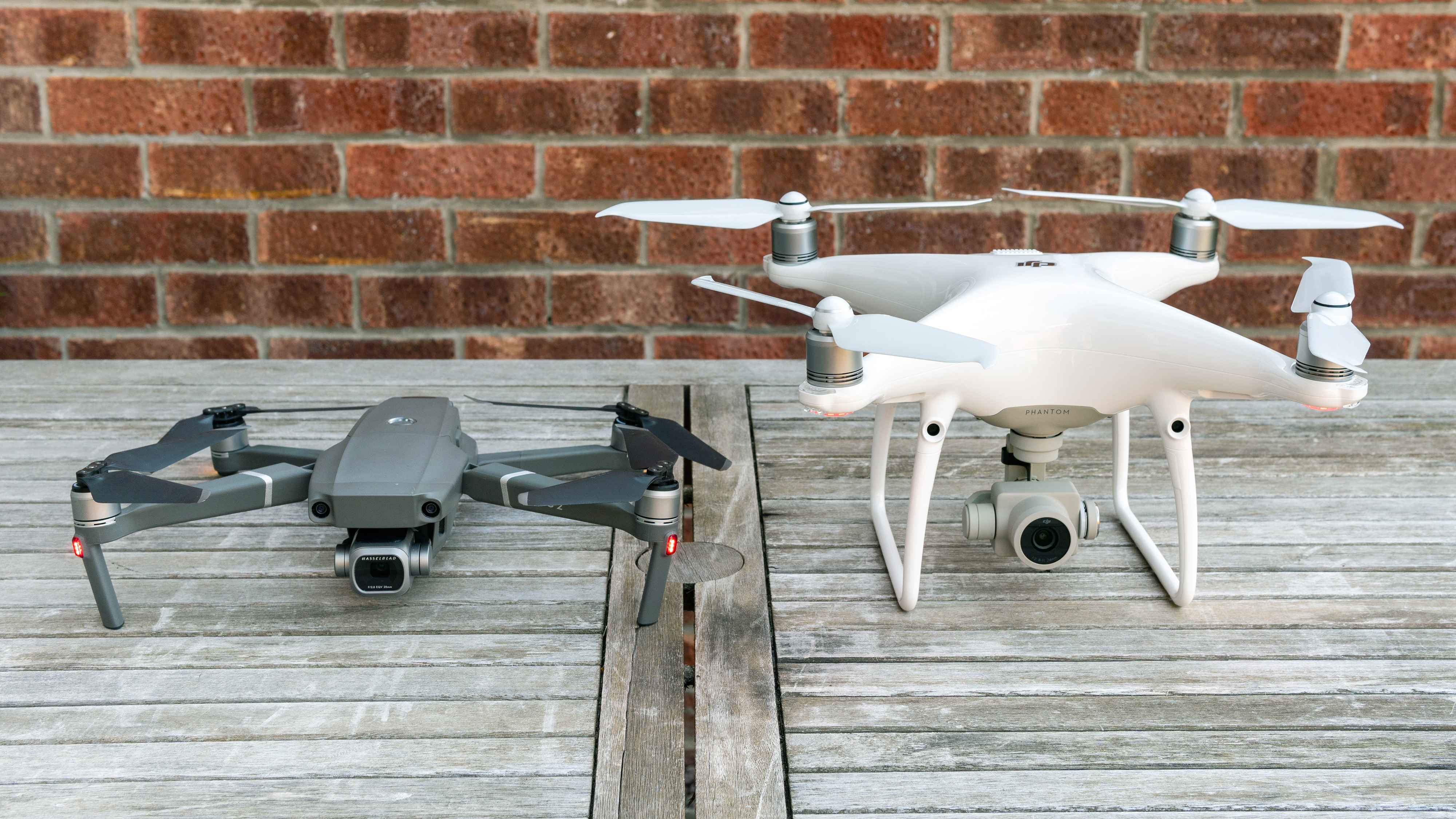
DJI Mavic 2 Pro vs DJI Phantom 4 Pro V2.0

(Image credit: Future)

Without simply listing everything both drones have, it’s safe to say that the Mavic 2 Pro is much more fully-featured drone in this area and provides many more automated options for creating both stills and video.

While the majority of professional videographers and photographers will perform the same tasks manually to maintain full control, one standout feature that the Mavic 2 Pro possesses over the Phantom 4 Pro V2.0 is the ability to shoot aerial time-lapse/hyperlapse videos. 

These dynamic videos, which can be recorded alongside individual stills, can produce incredible results from an aerial position, so it’s a shame that this isn’t possible with the Phantom, despite the two drones using the same DJI Go 4 app for smartphones and tablets.

Performance

  • Both drones use GPS and GLONASS satellite systems
  • You can expect at least 30 minutes of flight time on both drones
  • The Mavic 2 Pro features more obstacle avoidance sensors

In terms of flight speed, wind resistance and battery life, the Mavic 2 Pro and Phantom 4 Pro V2.0 are practically identical. 

Any differences are so small that they’re negligible. Battery life is advertised as being 30 minutes for the Phantom and 31 minutes for the Mavic, although it’s rare to achieve these flight times because it’s always best to land a drone before the battery gets too low. Both drones can fly at up to 72kph/45mph in Sport mode.

DJI Phantom 4 Pro V2.0

The DJI Phantom 4 Pro V2.0's controller. (Image credit: Future)

Despite these near-identical specs, the Phantom 4 Pro V2.0 is much more responsive than the Mavic 2 Pro in terms of its controller. 

That’s not to say that the Mavic 2 Pro isn’t responsive – it certainly is and flight is extremely smooth. But the Phantom is much more sensitive, so for smooth flight you must use the thumb and index finger ‘pinch’ method when using the control sticks, because this approach provides much more control and counteracts the sensitivity of the controls. 
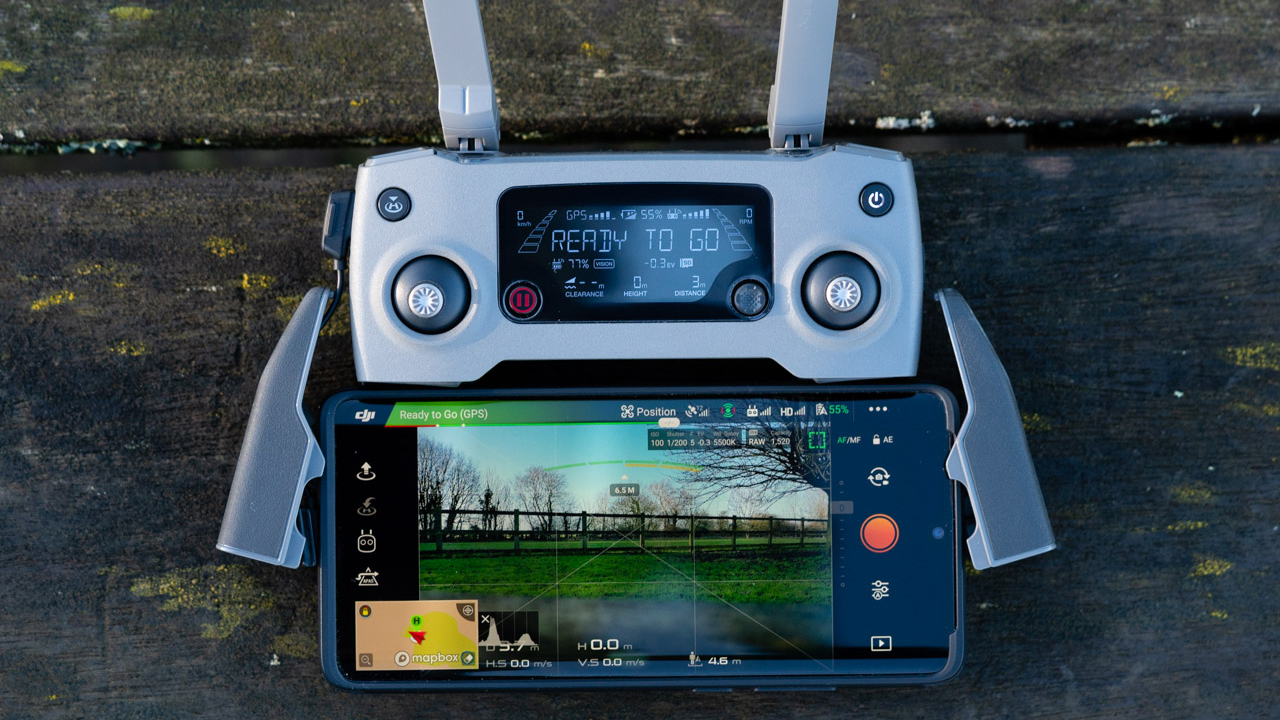
DJI Mavic 2 Pro

The DJI Mavic 2 Pro's controller. (Image credit: Future)

The Mavic 2 Pro is arguably slightly easier to fly than the Phantom 4 Pro V2.0, although the latter is still a great performer.

In terms of obstacle avoidance, the Mavic Pro 2 has a clear advantage with omnidirectional obstacle sensing in six directions. The Phantom offers obstacle sensing five directions with the side sensors being infrared rather than visual. This, of course, makes the Mavic better in this area, but in real-world situations the Phantom performs perfectly well. This certainly shouldn't be a dealbreaker, or maker, one way or the other.

Image and video quality

  • The Mavic shoots 4K/30p video, the Phantom 4K/60p (both at 100Mbps)
  • The Phantom has a mechanical shutter that helps it avoid rolling shutter
  • Both drones offer an adjustable f/2.8-f/11 aperture and raw stills

The quality of stills and video from both drones is extremely similar. In short, they’re both excellent performers thanks to the 20MP 1-inch sensors they both have on board. 

The Mavic 2 Pro's camera is a Hasselblad with a full-frame equivalent focal length of 28mm, while the Phantom is slightly wider at 24mm.

The Mavic 2 Pro produces what appear to be slightly sharper images than the Phantom 4 Pro V2.0, which means it'll particularly appeal to stills photographers looking for a drone for aerial photography.

Both drones also offer an adjustable aperture of f/2.8-f/11, the option of shooting raw stills in DNG format, and the ability to capture 4K video in flat profiles for color grading. 

This is essential when shooting aerial footage that needs to be color- and style-matched to standard footage in professional workflows. But both drones also capture video with profiles attached, so the footage is effectively ready for use straight out of camera, making them ideal for amateur use, too.

In terms of video, the Phantom has the edge and for videographers this could be the deciding factor. The larger size of the Phantom translates into a larger camera; one that features a mechanical shutter, which is much better for capturing scenes naturally than digital shutters. 

The difference between the two is that a digital shutter scans the scene to create an image, while a mechanical shutter opens and closes to capture the scene in one go. The result is that mechanical shutters don’t suffer from rolling shutter – a problem where objects can appear to bend or where moving elements appear fragmented in video footage.

The Phantom is also capable of shooting video up to 4K/60p at 100Mbps in the D-Log color profile, while the Mavic is able to capture a slightly more modest 4K/30p at 100Mbps in the Dlog-M profile. 

The color profiles are different but essentially offer the same result. Still, it’s the Phantom's faster frame-rate that’s most significant here, particularly in a professional context. One video area where the Mavic does win, though, is that it can capture HDR video.

DJI Mavic 2 Pro vs Phantom 4 Pro V2.0: the verdict

When you first see the DJI Mavic 2 Pro and Phantom 4 Pro V2.0, it’s safe to say that the Mavic appears to be the most attractive option, simply due to its size, weight, near-identical flight performance and, of course, the fact that both drones feature a 20MP 1-inch sensor. 

Opting for the Mavic 2 Pro seems like a no-brainer, but then you discover that the Phantom 4 Pro V2.0 features a mechanical shutter and a faster frame-rate when shooting 4K video.
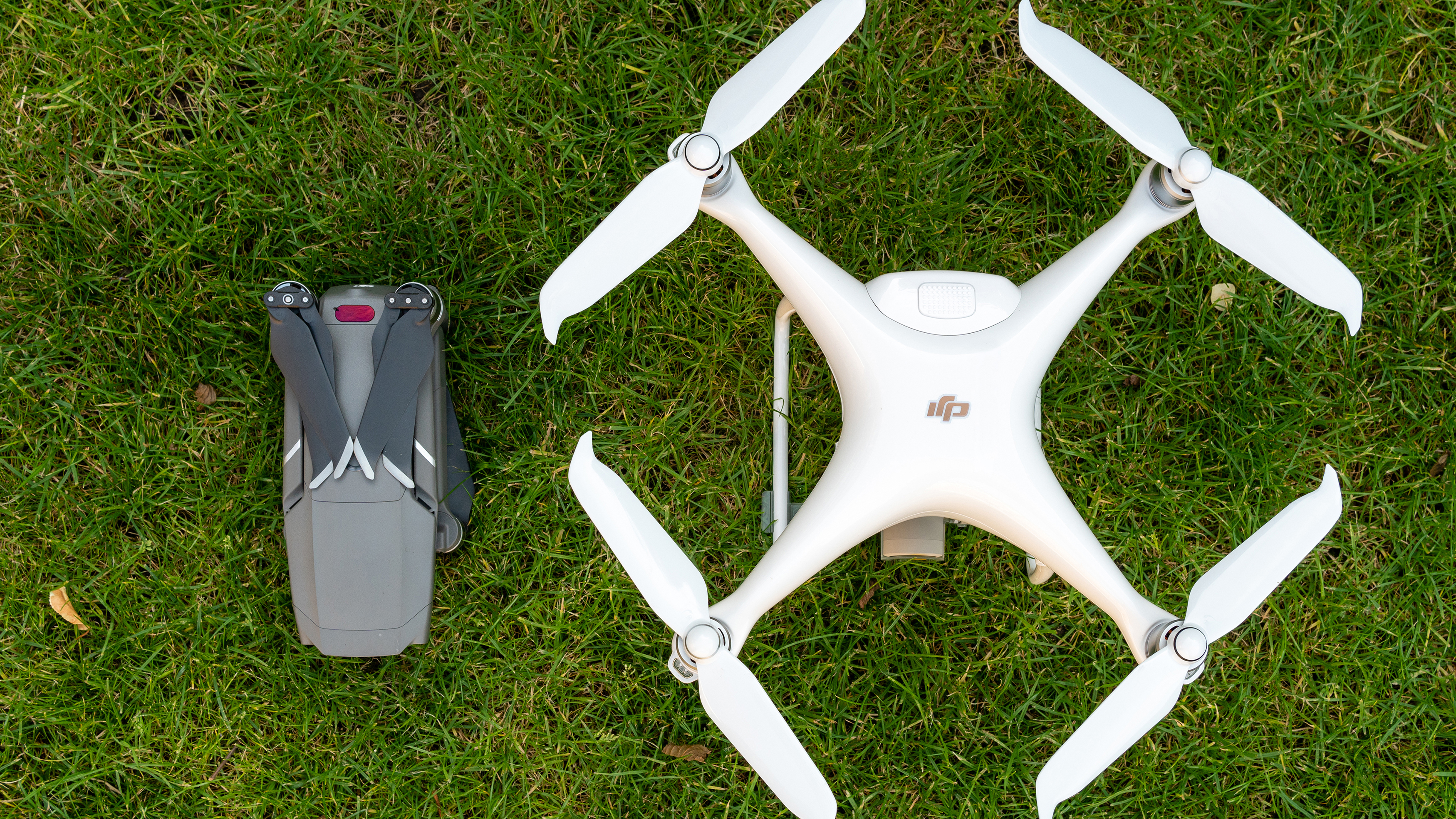
DJI Mavic 2 Pro vs DJI Phantom 4 Pro V2.0

(Image credit: Future)

So it’s here where you have to make a trade-off. Can you live with the larger and heavier drone that produces more impressive video, which fits into more professional video workflows? Or do you go for the option that’s smaller, lighter and can still produce excellent 4K video, albeit at 30fps rather than 60fps, and with the potential for rolling shutter?

In reality, it’s likely that working professionals will own both drones and will use the best option when the job calls for it. Hobbyist shooters will most likely be more than happy with the smaller, lighter and more portable DJI Mavic 2 Pro. And photographers not worried about video specs can enjoy slightly better image quality for stills, too.

Ultimately, both drones are very impressive, and the deciding factor between the two is mainly down to a trade-off between camera and video features, versus size and weight.


from TechRadar - All the latest technology news https://ift.tt/2GChaCE
via IFTTT https://ift.tt/3d1Hh2k

These five SIM only deals are smashing the competition this weekend

The weather has gone very...English of late which makes this the perfect time to lock the doors, whip out the blankets, blast the heating and settle in to find that new SIM plan you've been putting off researching.

Yes, it's a pain with a never-ending list of networks and MVNOs, which one do you go for and which offers the benefits which best suits your lifestyle? Well luckily we've made the process slightly easier by gathering the top five SIM only deals below.

With options ranging from the best price on EE through to the UK's cheapest option, the best prices on unlimited data and even a SIM with unlimited use of social media, there's a lot of great options below.

  • Still looking for a new phone? Check our best SIM-free phone price guide

Our top 5 best SIM only deals this weekend:

1. The completely unlimited ones

SIM only from Three | 12 month contract | Unlimited data | Unlimited calls and texts | £18 a month
In our view, your search could start and end here. Three delivered this all time best value SIM only deal on Black Friday and somehow it's still going strong - even with the next Black Friday just around the corner...For £18 a month, you're getting unlimited calls, texts and data, making it an unbeatable offer.View Deal

iD Mobile SIM only | 30-day contract | unlimited data, minutes and texts | £18 per month
While the Three offer above is great, and will be the choice many prefer, if the contract is longer than you would prefer iD Mobile could be a better choice. With iD, you're getting unlimited data, calls and texts for the same price of £18 a month - the only difference is that iD operates on 1-month rolling contracts.
View Deal

2. The really, really cheap one

iD Mobile SIM only | 30-day contract | 1GB data | 500 minutes | Unlimited texts | £5 per month
Trying to spend less on your phone bills? Then iD has got you covered. Of course, 1GB of data each month won't suit the streaming commuters and social media obsessives of this world, but those £5 a month bills are amazingly tempting if you don't use your phone that much away from Wi-Fi.
View Deal

3. The one with the fastest 4G speeds

EE SIM only | 18 months | 100GB data | Unlimited calls and texts | £20 per month
For some, it's EE or nothing. The UK's fastest 4G network isn't always that affordable which is why this offer is so tempting. It provides 100GB of data while only charging £20 a month. That's plenty for a massive amount of gaming, streaming and more each month. 
View Deal

4. The one that doesn't tie you down

SIM only plan from Smarty | 1 month rolling | 50GB 100GB data | Unlimited calls and texts | £15 per month
If you're trying to secure the most amount of data for the lowest price, Smarty will be the way to go. It offers 100GB of data (double what it normally has) for just £15 a month. While that is already pretty strong, it gets better due to the fact that Smarty operates on 1-month rolling contracts so you can leave at any time.
View Deal

5. The one with unlimited social media

SIM only plan from Voxi | 1 month rolling | 6GB 12GB data | Unlimited calls and texts | £10 per month
For anyone who finds themselves powering through data each month due to social media apps, Voxi is the perfect option. It provides unlimited usage of social media apps including Whatsapp, Facebook and Instagram. On top of that, you're getting 12GB of data and only paying £10 a month.
View Deal


from TechRadar - All the latest technology news https://ift.tt/2GysLme
via IFTTT https://ift.tt/2i5OGp0

Video conferencing could finally be about to get less terrible

Earlier this year, HTC launched the public beta for a virtual reality (VR) video conferencing platform called Vive Sync.

It’s similar in many ways to Zoom and Microsoft Teams, both of which have become mainstays of working life during the pandemic, but with one key difference - Sync meetings quite literally have an extra dimension.

The Taiwanese company - maker of the popular HTC Vive range of VR headsets - invited TechRadar Pro to sample the Vive Sync experience, hosted by President and GM EMEA Graham Wheeler.

Less than an hour inside the headset was enough to show us precisely why HTC is so enthusiastic about the fledgling service and its place in the future of work.

The platform remains in beta, so is naturally lacking in polish in some areas, but we didn’t need bells and whistles to grasp the core concept: with virtual reality, remote working need not feel quite so remote.

HTC Vive Sync

(Image credit: HTC)

What is Vive Sync?

Vive Sync is HTC’s first foray into the world of collaboration tools, although TechRadar Pro can confirm it won’t be the company’s last.

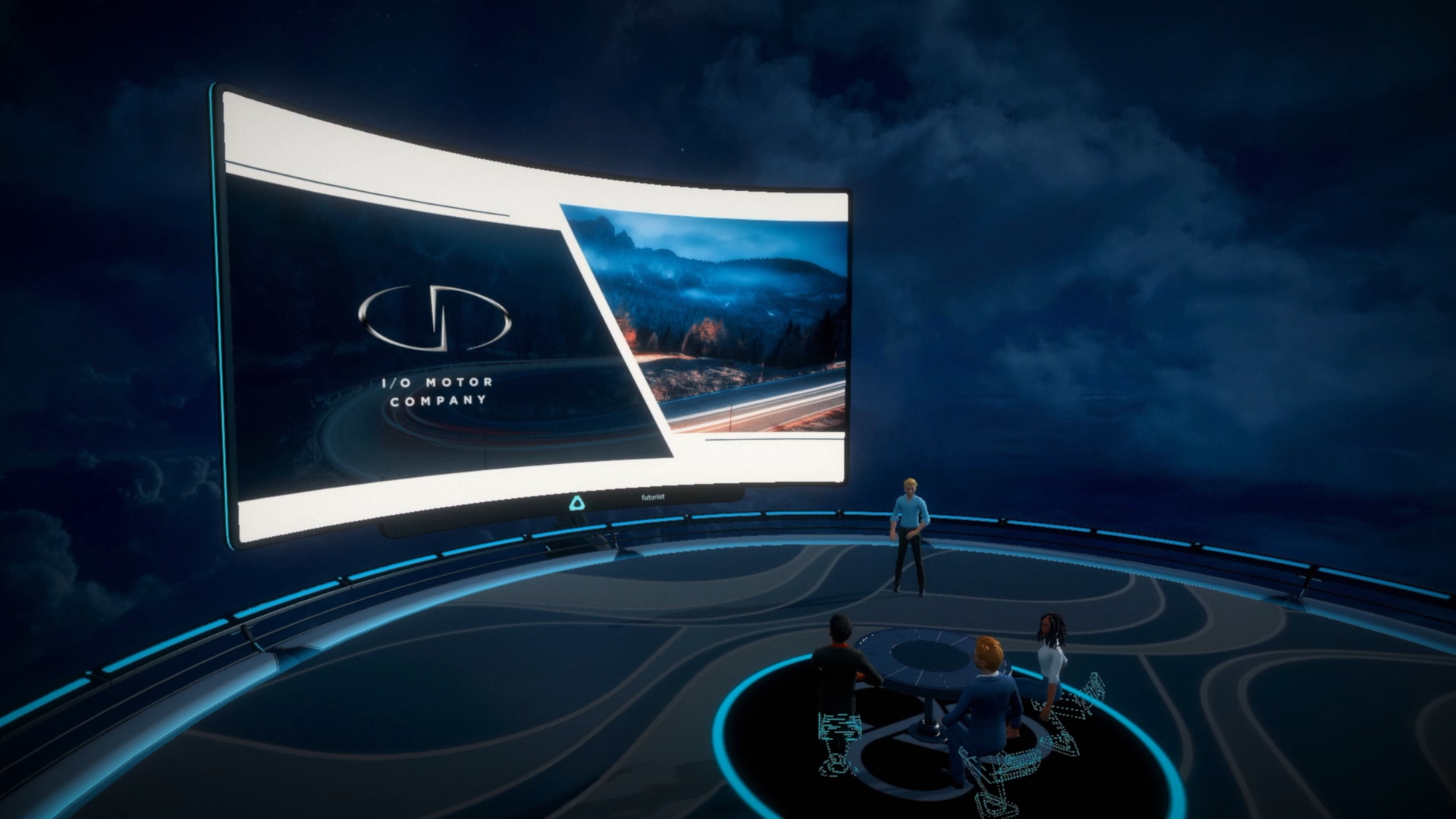
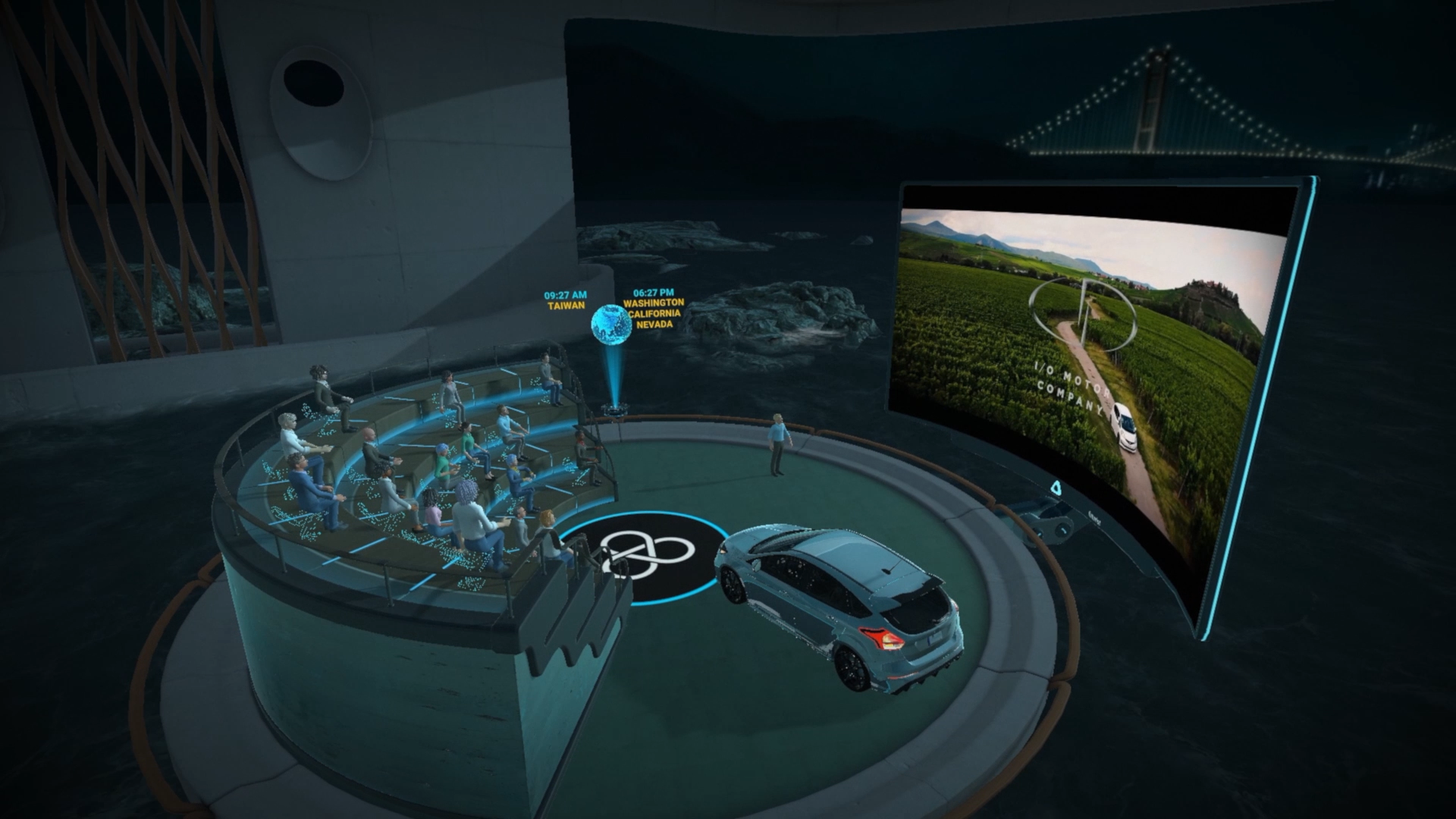
Sync has all the same features as a regular video conferencing service, but eschews the traditional grid of faces in favor of a three dimensional arena, where attendees are joined by the avatars of up to 30 fellow participants.

You can move about the generous space, turn your body and head to listen directly to whomever is speaking and also gesticulate with your arms, which are tracked by hand controllers.

Wheeler was even sporting additional peripherals that tracked his eye and mouth movement, which further added to the sense that we were having a genuine person-to-person interaction.

Crucially, Vive Sync is cross-platform service (unlike many virtual reality tools), meaning attendees can join via their PC or laptop too - just with limited functionality.

This will be the key to making virtual reality ubiquitous in enterprise. Of course not every business will have the depth of resources to arm all employees with VR equipment, but the cross-platform nature of Vive Sync means that’s not an insurmountable problem.

According to Wheeler, the arrival of the platform has coincided happily with a fundamental shift in the world of work, brought about by the pandemic.

“VR gives teams the flexibility to work successfully from anywhere in the world - an advancement that is prompting companies to rethink the way they operate,” he said.

“Before the pandemic, a lot of organizations were against working from home, but now business culture as a whole is changing and organizations are finally open to new ideas.”

Setting up and launching in

We joined our Sync meeting using the Vive Pro, HTCs premium enterprise-focused headset, which delivers the greatest performance available, but is also on the expensive side and requires a little more setup than some other headsets.

Our reviewer described it as “the best VR headset for the ultra-discerning, financially well-off VR enthusiast,” which rather hits the nail on the head.

Anyone that has ever rigged a tethered virtual reality system like this one will know it involves at least a measure of faff. You have to get the headset out, connect the various cables with both your PC and the headset, turn on the lighthouses (which track your position in the room), load up the application etc.

For some remote workers (especially those living in small city apartments), space will prove prohibitive, because you need at least a spare 2 x 1.5 meters spare for room-scale VR. Others might argue that the effort it takes to set up outweighs the benefits of joining a meeting in virtual reality.

The alternative, for anyone that falls into the above categories, would be to opt for the all-in-one Vive Cosmos, which at least handles its own tracking (although still needs to be connected to a PC) or, even better, the totally untethered Vive Focus Plus.

 HTC Vive Sync avatar

(Image credit: HTC)

Before you join a meeting, you’ll also need to create and synchronize your avatar, which currently feels more convoluted than it needs to be.

You’ll need to download HTC’s standalone avatar builder mobile app, take a selfie to use as the basis for your character and then then fine-tune by tweaking various parameters - be that eyebrow bushiness, nose sharpness or eye bulginess.

Once you’re happy with your creation, the app will provide you with a code, which you then need to attach to your account via the Vive Sync website.

We’d like to see this whole process streamlined and shifted into the virtual reality application in future builds. There’s no reason you shouldn’t be able to create your avatar inside the headset.

Once set-up and avatar creation has been taken care of, however, joining a Vive Sync meeting is as easy as on any other platform. All you need is a room code and password.

Collaborating in virtual reality

In terms of core functionality, Vive Sync delivers everything you might expect from a video conferencing or collaboration software - perhaps with the exception of text chat. Participants can communicate over mic, record sessions, pull in documents and presentations, take screenshots, share their PC screen and more.

Where Vive Sync differs from traditional conferencing platforms, though, is in its use of three dimensional space.

Attendees can sit or stand as they please (though we recommend coming armed with a swivel chair), which could help break up a long day of sitting down at a desk. They can also move across the meeting space, either by physically walking around or via teleportation - a common method of locomotion in VR.

Presenters can also import 3D assets into the meeting room, which can be manipulated, annotated and resized on the fly. In our meeting, for example, Wheeler pulled up a model of a phone, circling different elements of the design with a virtual pen as he spoke and rotating the model to inspect each side.

(Image credit: HTC)

If an attendee likes what they see, Sync also offers the ability to react with an animated emoji (to save interrupting verbally) - or even high five the presenter, triggering fireworks.

The most striking feature, however, is the floor-to-ceiling cinema screen that rises dramatically at the front of the conference arena when a participant shares a web page, document or presentation.

The ability to share your screen is not incredible in itself, but screen-sharing on a display of these proportions certainly is. Even the most dry and incomprehensible graph or pie-chart is made more compelling when blown up to this scale - and that isn’t possible without virtual reality.

The main issue we foresee, in terms of functionality, is with taking efficient notes during a Sync meeting. While you have the option to record a meeting and watch back afterwards, that’s not exactly an efficient way to spend your working hours and defeats the object somewhat.

The closest feature to a physical notebook and pen is Sync’s voice-to-text audio note facility, which allows users to take both private and public notes mid-meeting. But doing so while continuing to listen to the presenter is near enough impossible.

Work in progress

While we had a great time with Sync overall, that’s not to say it doesn’t suffer from any issues - some of which, in fairness, can be attributed to the fact the service remains in beta.

Firstly, the current iteration of the PC application is temperamental. It was slow to launch and even slower to log us into our account, sometimes even demanding a restart.

We also experienced a slight audio delay (of roughly one or two seconds) during the meeting itself, which made jumping in on the conversation somewhat awkward and served as an unwelcome reminder that the meeting wasn’t actually in-person.

Our voice also dropped out at one point, forcing us to communicate with Wheeler using emojis alone, until the issue was resolved by exiting and reentering the meeting.

If Vive Sync is to carve out a space for itself in the highly competitive video conferencing market, it will need to get these kinds of fundamentals right first.

(Image credit: HTC)

However, Wheeler is as equally unconcerned about the skeptics and dissenters as he is convinced of the merits of VR in the workplace. Asked what he thought of the idea that platforms like Sync represent a dystopian future for work, he had the following to say:

“Every new technology is met with some element of negativity. Some people railed against the printing press.”

“Technology has always just been a conduit - it has no conscience. Society as a whole has a collective responsibility to use technology for good, to make lives easier and bring us closer together.”

Vive Sync, Wheeler told TechRadar Pro, will remain in beta for the time being while the team continues to deliver regular new updates and fine tune the experience.

He was tight-lipped about when the service might launch in full, but we’ll be back with a full review whenever that may be.


from TechRadar - All the latest technology news https://ift.tt/33oECfF
via IFTTT https://ift.tt/3cVNHQA

Friday, October 2, 2020

iPhone 12 Mini: is Apple about to adopt the small moniker for its new iPhones?

While Apple will probably unveil the iPhone 12 range on October 13, we’ve already heard plenty about the phones, with most leaks agreeing that there will be a fourth model this year, up from three in the iPhone 11 range. And with a new model comes a new name, which is reportedly ‘iPhone 12 Mini.’

But this name is just a rumor for now, and while we’ve heard it a few times there’s also reason to suspect it might not be right.

So will Apple really call the basic iPhone 12 model the iPhone 12 Mini? Below we’ll examine the evidence.

Why Apple might launch an iPhone 12 Mini

The main reason to think that Apple might launch an iPhone 12 Mini is simply that this has been rumored, and not just once, but at least three times at the time of writing.

The name was first mentioned by Twitter leaker @L0vetodream on September 21. They claimed that Apple will launch an iPhone 12 Mini (which other rumors suggest will have an appropriately compact 5.4-inch screen), along with a standard iPhone 12 and an iPhone 12 Pro (both rumored to have 6.1-inch screens), and at the top end an iPhone 12 Pro Max, likely to have a 6.7-inch display.

The only new name there is the iPhone 12 Mini – the other three had been extensively leaked previously, though prior to this it had been thought that the smallest iPhone would just be called the iPhone 12, with the next model up getting the new moniker of iPhone 12 Max.

Following this leak, Twitter user @duanrui1205 posted images showing what appear to be barcode stickers for cases designed for each of the four models above, and including the iPhone 12 Mini name on one of them.

Then, Jon Prosser (another leaker) tweeted various leaked details about the upcoming iPhones, including the claim that iPhone 12 Mini is “definitely the final marketing name” for the 5.4-inch model.

Other leakers have also used the iPhone 12 Mini name, though it’s not clear whether they have inside information or are just following the trend.

So that’s quite a lot of support for the Mini name, and that’s before you get to the fact that Apple has used the Mini moniker on a number of products in the past, such as the iPad mini and Mac mini ranges.

Why Apple might not launch an iPhone 12 Mini

The first thing to note is that we’re not disputing the existence of a smaller 5.4-inch iPhone. That’s been extensively rumored and is likely real, we’re just questioning whether it will land with ‘Mini’ in the name.

Above we highlighted a number of rumors as evidence of such a name, but it’s worth noting that of the three sources we highlighted only one (Jon Prosser) has an extensive track record, and in recent months it’s been somewhat mixed, as while he’s been right about some things, he’s been wrong about others.

Plus, it’s only in recent rumors that we’ve heard the phone referred to as the iPhone 12 Mini, and in a relatively small number of rumors at that.

Previously, a lot of sources suggested that the next model up would get a new name instead, specifically the iPhone 12 Max. So that could still be right, or, if sources were wrong about that name, they could just as well be wrong about the Mini name too.

Plus, while a number of other Apple products have had Mini in the name, the company has never yet launched an iPhone Mini, and that’s despite having launched a number of compact phones, most recently the 4.7-inch iPhone SE (2020).

The iPhone SE (2020) is small, but it's not a 'Mini'

The iPhone SE (2020) is small, but it's not a 'Mini' (Image credit: Future)

Will Apple launch an iPhone 12 Mini?

We can’t say with any certainly whether Apple will call its smallest iPhone 12 model the iPhone 12 Mini. As explained above, there’s plenty of evidence in both directions.

But if we were to take a guess we’d say the iPhone 12 Mini name is likely to be used. While older rumors pointed to an iPhone 12 Max instead, we’re inclined to put greater weight on recent rumors, as they’ll likely be working off more up to date information.

And while you could question the track records of the sources in terms of either reliability or number of leaks, we haven’t seen any other leakers actively disagreeing with them at the time of writing.

With the iPhone 12 launch fast approaching we should know for sure soon, but for now we’d put our money on Mini.


from TechRadar - All the latest technology news https://ift.tt/3junXgk
via IFTTT https://ift.tt/3las81y

St Kilda v Western Bulldogs: live stream the AFL 2020 finals match

It’s been a long time coming for the Saints. The St Kilda side will be making their first finals appearance since 2011, and you can catch the action this afternoon at 4:40pm AEST.

Meeting them at the Gabba will be the equally formidable Western Bulldogs. This will mark the Dogs’ second straight finals appearance, and they’re sure to hit the field better prepared after last season’s crushing defeat in an elimination final.

The question is, who’s more hungry? We’re about to find out as St Kilda and the Western Bulldogs go head-to-head in the competition’s first elimination final.

St Kilda v Western Bulldogs: live stream and time

It’s game day! Today’s St Kilda v Western Bulldogs match takes place at the Gabba in Brisbane, Australia, and the match is set to kick off at 4:40pm AEST. Australians can watch the clash free-to-air on 7Mate, on Foxtel’s Fox Footy or live stream St Kilda v Western Bulldogs live and on Kayo Sports.

Just like the rest of the sporting world, it’s been a season like no other for the AFL. Now heading into the first week of the finals series, with four powerhouse matches have already begun.

On October 1, the Power took on the Cats and came out on top, winning by 16 points and advancing to the preliminaries.

Last night (October 2), the Brisbane Lions faced Richmond at the Gabba in a qualifying final, and defied the odds by winning the match 69-54.

St Kilda will soon meet with the Western Bulldogs (Saturday, October 3 at 4:40pm AEST) in an elimination match.

Later tonight, West Coast Eagles will face Collingwood in another finals decider (8:10pm AEST / 6:10pm WST). The Magpies started off strong this year, but have since slumped to the bottom of the top eight teams. Collingwood has had a rocky season on and off the field, so this go-hard or go-home match to be played with an Eagles home crowd will be hard won.

Every finals game will be broadcast live online and on free-to-air. Here's how you can watch it all unfold in the lead up to the Grand Finals on October 24.

How to watch AFL 2020 Finals Week online

The best place to catch all the qualifiers live online would be on Kayo. This streaming service is dedicated to sports so there won't be any distractions, with the exception of a few ad breaks perhaps.

The advantages with watching footy on Kayo is the versatility – you'll get live interactive stats while the matches are happening, the ability to watch up to three other streams at the same time in SplitView and have all the AFL matches available on-demand later if you happen to miss it all. If you want to just check the highlights, Kayo Mini videos are bite-sized clips of all the best bits.

And, if you haven't signed up yet, you get a 14-day free trial before you need to pay your monthly subscription. If you'd like to know more about the streaming service, take a look at our in-depth Kayo Sports review.

Kayo Sports basic package | 14-day free trial, then AU$25 per month

Kayo’s Basic package will let you stream over 50 sports on two different devices at the same time. You’ll have access to Kayo’s features such as SplitView, and you can cancel any time as there’s no lock-in contract.View Deal

How to live stream AFL 2020 Finals Week for free

The Seven Network has broadcast rights to all the qualifier games during Finals Week. They'll be available to watch live and free on Seven or 7Mate, depending on which state you're in.

That means, you'll also be able to stream the games on the Seven Network's catch-up app, 7Plus. This platform is available on a web browser, and has apps for both Android and iOS.

How to live stream AFL 2020 Finals Week from abroad

If you're a footy fan who happens to be living outside of Australia, New Zealand or the Pacific Islands, you needn't despair. You can watch every single AFL game this season no matter where you are on the Watch AFL streaming service.

Like Kayo, Watch AFL is also a subscription service and has three different plans to choose from:

Weekly: US$17 / £13 / €17 / AU$20 
Monthly: US$33 / £25 / €33 / AU$39 
Annual: US$165 / £130 / €155 / AU$199

For the qualifiers, Watch AFL has a new option called the Finals Pass, which temporarily replaces the monthly plan. It gives customers the ability to watch all the matches during Finals Week as well as the Grand Finals live.

Watch AFL Finals Pass | US$33 / £25 / €33 / AU$39

The contents of this streaming service are only available to view outside of Australia, New Zealand and the Pacific Islands, but a subscription can be purchased from anywhere. It includes every match in the Premiership, including the fixtures from the Women’s League. Watch AFL allows you to pause and rewind live matches, and also allows you to download matches for offline viewing. While you can watch the livestream on desktop via the website, the Watch AFL app is also available for iOS, Android and Apple TV. You can even cast onto a TV via AirPlay or Google Chromecast.View Deal


from TechRadar - All the latest technology news https://ift.tt/2SmiwUR
via IFTTT https://ift.tt/3jcZDQA

Facebook and Twitter CEOs to attend hearing about Section 230 protections

Facebook CEO Mark Zuckerberg and Twitter CEO Jack Dorsey have agreed to testify before the Senate Commerce Committee to discuss Section 230 of the Communications Decency Act. Their confirmation comes a day after the committee unanimously voted to sub...

from Engadget RSS Feed https://ift.tt/30L4qkL
via IFTTT https://ift.tt/3isKUiN

Kellyanne Conway Has Covid-19, And Her Daughter's TikToks Broke the News

Former White House counselor Kellyanne Conway confirmed on Friday that she’s contracted covid-19 after her 15-year-old daughter broke the news in a series of TikToks revealing her mother’s positive diagnosis and denouncing President Donald Trump.

Read more...


from Gizmodo https://ift.tt/3jq7PwB
via IFTTT https://ift.tt/2HTHpW7

Forget about the new Surface Laptop Go - these are the laptops you should consider

The Surface Laptop Go will probably wow customers at first, but when the dust settles, we'll all come to realize it's both unbalanced and overpriced.

Sure, some will be ecstatic to see a 10th generation Intel Core i5-1035G1 processor powering a laptop with a touchscreen display. But look elsewhere and cracks start to appear.

First, there’s the amount of system memory, which is vital to getting Windows and other memory-hungry applications to run smoothly. 4GB RAM is simply not enough (even if it is LPDDR4x), especially as the integrated graphics will occupy up to a quarter of that.

Ditto for the onboard storage; 64GB eMMC won’t cut it. Not only is it the slowest storage tier outside of hard disk drives, but the capacity is also criminally low.

Install Windows 10 and the relevant updates and you'll probably be looking at 25GB already ring fenced. Add in the fact that solid state memory performance worsens as free storage shrinks and you've got a recipe for frustration.

Microsoft's other surprising choice is the inclusion of a screen with less than two megapixels. The 12.4-inch PixelSense display has a resolution of 1536 x 1024 pixels, which equates to 1.57 million pixels in all - a third less than full HD displays usually found on business laptops.

And perhaps an even bigger kick in the teeth for potential buyers - other than the $550 price tag - is that it doesn’t offer a fingerprint power button like the rest of the range.

So, what are the alternatives?

Lenovo 14-ARE - $549.99 at TigerDirect (roughly £425.64)
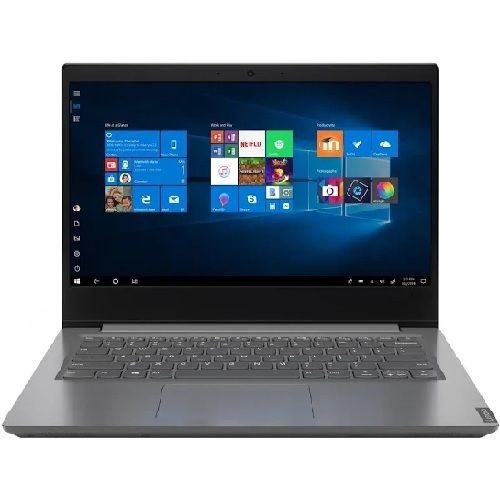
The Lenovo V14-ARE is far more balanced, with a more powerful processor, twice the memory and four times the onboard storage. The display has a higher resolution, it features more ports and also runs on Windows 10 Pro (rather than Windows 10 S). Admittedly, it is heavier, has a worse battery life and doesn’t have a touchscreen display.View Deal

Chuwi GemiBook - $319.00 direct (roughly £250)
If you don’t mind a more obscure brand, the absence of a touchscreen and a slower processor, then consider the Chuwi GemiBook. It embraces the same 3:2 display aspect ratio, but with a resolution that's three times greater, it has three times more system memory, four times the system storage and costs almost half the price.View Deal

Bear in mind

  • If these products are unavailable in your region, you may need to use a specialist parcel forwarding service.


from TechRadar - All the latest technology news https://ift.tt/3nf7Mpu
via IFTTT https://ift.tt/3ju87Co

Serious Grindr Vulnerability Let Hackers Hijack User Accounts With Just an Email Address

The popular LGBT+ hook-up app Grindr has fixed a glaring security flaw that allowed hackers to take over any account if they knew the user’s registered email address, TechCrunch reports.

Read more...


from Gizmodo https://ift.tt/2GtYS6I
via IFTTT https://ift.tt/2xuVsMa

Now Twitter 'won't tolerate' tweets hoping that someone dies

In the hours since the president revealed he has COVID-19, some people have been tweeting that they’re in favor of the virus. This Motherboard article mentions they asked Twitter about the behavior, and were informed that under its current rules, twe...

from Engadget RSS Feed https://ift.tt/3cPZfVm
via IFTTT https://ift.tt/3cUVYnS

Google's Daydream VR Is Officially, Really, Finally Dead

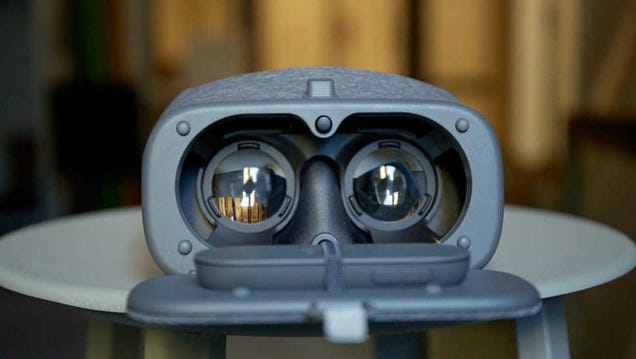
If you happen to be one of the few people who still use Google’s Daydream VR platform, I’m sorry to tell you that it’s officially dead. (If you didn’t know Daydream was a thing, that’s totally OK. I forgot it was, too.) Spotted by Android Authority, Google recently issued a service update for Daydream letting any…

Read more...


from Gizmodo https://ift.tt/2GkBlFD
via IFTTT https://ift.tt/3irIUqU

What to Do When Your Country Turns Into a Dumpster Fire

America is America-ing again.

Read more...


from Lifehacker https://ift.tt/3cQBE6O
via IFTTT https://ift.tt/33p3zaY

Panthers vs Roosters: where to watch the NRL 2020 finals match live online

We've finally entered the closing stages of the 2020 Telstra NRL Premiership and, as always, there's been no shortage of sweat, blood and tears. All those battles and the drama has been for a place in the Grand Final, but before that can happen, the top eight teams will need to fight hard through the qualifying rounds.

And that begins tonight (Friday, October 2).

The road to Grand Final glory kicks off today with the first of four qualifiers this week at 7:50pm AEST, with the Penrith Panthers taking on the Sydney Roosters at Panthers Stadium. 

The Panthers have won 15 straight matches now but the Roosters, despite the loss of Sonny Bill Williams due to a neck issue, will be pecking at the Penrith team's heels. After all, the Roosters are back-to-back Premiership champs and won't go down without a fight.

Penrith Panthers vs Sydney Roosters: live stream and time

It’s game night! Tonight’s Panthers v Roosters match takes place at the Panthers Stadium in Western Sydney, and the match is set to kick off at 7:50pm AEST. Australians can watch the clash free-to-air on Channel 9, on Foxtel’s Fox Footy or live stream Panters v Roosters live and on Kayo Sports.

With rested players on the Panthers' side, the Penrith team is roaring to go. It's a confident side, after winning the minor premiership, and with home-ground advantage.

The excitement, of course, doesn't stop there. Saturday has two qualifiers back-to-back – the Raiders from Canberra will be taking on the Cronulla Sharks at 5:30pm AEST on October 3 at GIO Stadium, after which Melbourne Storm and the Parramatta Eels face off from Suncorp Stadium at 7:50pm AEST.

The fourth match for the first week of qualifiers will be at 4pm AEST on Sunday, October 4, with South Sydney's Rabbitohs against the Newcastle Knights at ANZ Stadium.

How to watch NRL 2020 Finals Week online

The best place to catch all the qualifiers live online would be on Kayo Sports. This streaming service is dedicated to sports and designed to be a die-hard sports fan's best friend.

It's feature-packed with things like SplitView, which lets you watch up to four different streams on the same window, and interactive live stats that are available for all NRL games.

If you happen to miss a game but don't have time to watch a full replay, Kayo Minis will get you up to date with all the highlights in bite-sized clips.

Better yet, the basic Kayo Sports package allows you to stream your favourite sports across two devices simultaneously, or you can opt for the premium package and stream across three different devices at once.

That not enough? Kayo gives you a 14-day free trial to figure out if you'll be happy with the service or not. For a more in-depth look at what the sports streaming service has to offer, check out our Kayo Sports review.

Kayo Sports basic package | 14-day free trial, then AU$25 per month

Kayo’s Basic package will let you live stream and catch up on over 50 sports on two devices at the same time. You’ll have access to Kayo’s features such as SplitView, and you can cancel any time as there’s no lock-in contract.View Deal

How to live stream NRL 2020 Finals Week for free

The Nine Network has broadcast rights to all the qualifier games during Finals Week, meaning you will be able to watch all the qualifiers live and free on Channel Nine. 

That also means you can watch the matches on 9Now, the Nine Network's online platform, where the games will be streamed live.

How to live stream NRL 2020 Finals Week from abroad

League fans currently living outside of Australia, New Zealand or the Pacific Islands can also catch every scrum and try online via the Watch NRL streaming service.

Like Kayo, Watch NRL is a subscription service and has three different plans to choose from:

Weekly: US$17 / £13 / €17 / AU$20 
Monthly: US$33 / £25 / €33 / AU$39 
Annual: US$165 / £130 / €155 / AU$199

For the qualifiers, Watch NRL has a new option called the Finals Pass, which temporarily replaces the monthly plan. It gives customers the ability to watch all the matches during Finals Week as well as the Grand Finals live.

Watch NRL Finals Pass | US$33 / £25 / €33 / AU$39

The contents of this streaming service are only available to view outside of Australia, New Zealand and the Pacific Islands, but a subscription can be purchased from anywhere. It includes every match in the Premiership. Watch NRL allows you to pause and rewind live matches, and also allows you to download matches for offline viewing. While you can watch the livestream on desktop via the website, the Watch NRL app is also available for iOS, Android and Apple TV. You can even cast onto a TV via AirPlay or Google Chromecast.View Deal

If you're currently abroad and aren't too keen on getting yourself a Watch NRL Finals Pass, you will need a VPN, and we've rounded up the best VPN services for you to choose from.


from TechRadar - All the latest technology news https://ift.tt/2GckkgW
via IFTTT https://ift.tt/3jcZDQA

NFL teams are using drones and robots to limit virus spread

Despite a recent COVID-19 outbreak in the NFL that resulted in cancelled games, some teams are planning to welcome back fans over the next few weeks. The Atlanta Falcons are one of those, and to reduce the risks, Atlanta’s Mercedes-Benz Stadium (MBS)...

from Engadget RSS Feed https://ift.tt/36wlM8F
via IFTTT https://ift.tt/3naLGEJ

Square and EE team up to offer quick and easy payment processing for SMEs

Payment provider Square has struck a deal with EE to help small businesses process contactless mobile payments much more easily. The new arrangement will allow new small business customers with EE to make use of a free Square Reader device, which enables processing of payments over the phone, online and in person too.

As an added incentive, business customers will get fee-free processing for their first £1,000 worth of card transactions. The practical appeal is that customers can also enjoy touch-free payments, making the service a perfect solution for avoiding the use of cash during the ongoing coronavirus crisis.

Square has carried out research that shows fewer than one in four payments are now made using conventional cash. That’s around half what it was prior to the emergence of Covid-19. With businesses and customers alike looking for alternatives to handling notes and coins this latest contactless payment option looks like it will be popular.

Pete Oliver, MD, SME, BT’s Enterprise business, said: “We’ve seen how the Covid-19 pandemic has driven businesses of all shapes and sizes to embrace more digital tools, whether that’s remote working, engaging customers online or moving to cashless payments.

As the trend towards cashless payments continue to skyrocket, our EE small business customers can now not only benefit from the best connectivity with the UK’s no.1 network, but also have access to Square’s leading digital payment tools to help improve cash flow; arguably more critical today than ever before.”

Square Online

It’s not just about the convenience of mobile payment processing though. Square allows small business owners to create their own online store using Square Online. Square also underlines its competitive rates, with business owners only having to pay when a payment is processed. 

Currently it's 1.75% for all in-person transactions including Visa, Mastercard and American Express, 2.5% for keyed in and online transactions. In addition, there are no hidden fees, you don't have to commit long-term and Square aims to process transactions so your business gets paid the next day.

“During these challenging times SMEs need accessible and affordable tools,” said Pankaj Bengani, Global Partnerships Lead at Square. “Partnering with EE means we can help more SMEs accept card payments with ease and simplicity. It’s essential businesses are equipped to sell wherever their customers are, and with Square, EE customers will be able to do this in-person and online.”


from TechRadar - All the latest technology news https://ift.tt/3ik23v7
via IFTTT https://ift.tt/eA8V8J

Google Pixel 5 release date, price, news and features

The Google Pixel 5 is official, and we've learned all about the newest flagship phone from the maker of Android at the company's Launch Night In livestream event.

Google revealed the new Pixel 5 alongside the Google Pixel 4a 5G, Google Nest Audio and Chromecast with Google TV. Notably what it didn't land alongside is the Pixel 5 XL, as there's no such phone - even though there really should be.

The Pixel 5 is a curious creation that's in some ways an upgrade on the Pixel 4 but in other ways a definite downgrade, as our Google Pixel 5 vs Google Pixel 4 comparison shows.

Below we'll focus just on the new phone and run you through all the key details we know about the Google Pixel 5 so far, including how much it'll cost, what it looks like, and what specs you can expect for your money.

Cut to the chase

  • What is the Google Pixel 5? Google's latest flagship phone
  • When is it out? October 15, pre-orders open now
  • How much does it cost? $699 / £599 / AU$999

Google Pixel 5 release date and price

Google Pixel 5

(Image credit: Google)

The Google Pixel 5 costs $699 / £599 / AU$999. Google has confirmed that the phone is coming to the US, UK and Australia, and you can pre-order it now directly from Google's web store.

The Google Pixel 5 will be available in the US, UK and Australia on October 15. A variety of retailers in all three of those markets have already confirmed deals, and we've put together some of the best for you market below.

Google Pixel 5 design and display

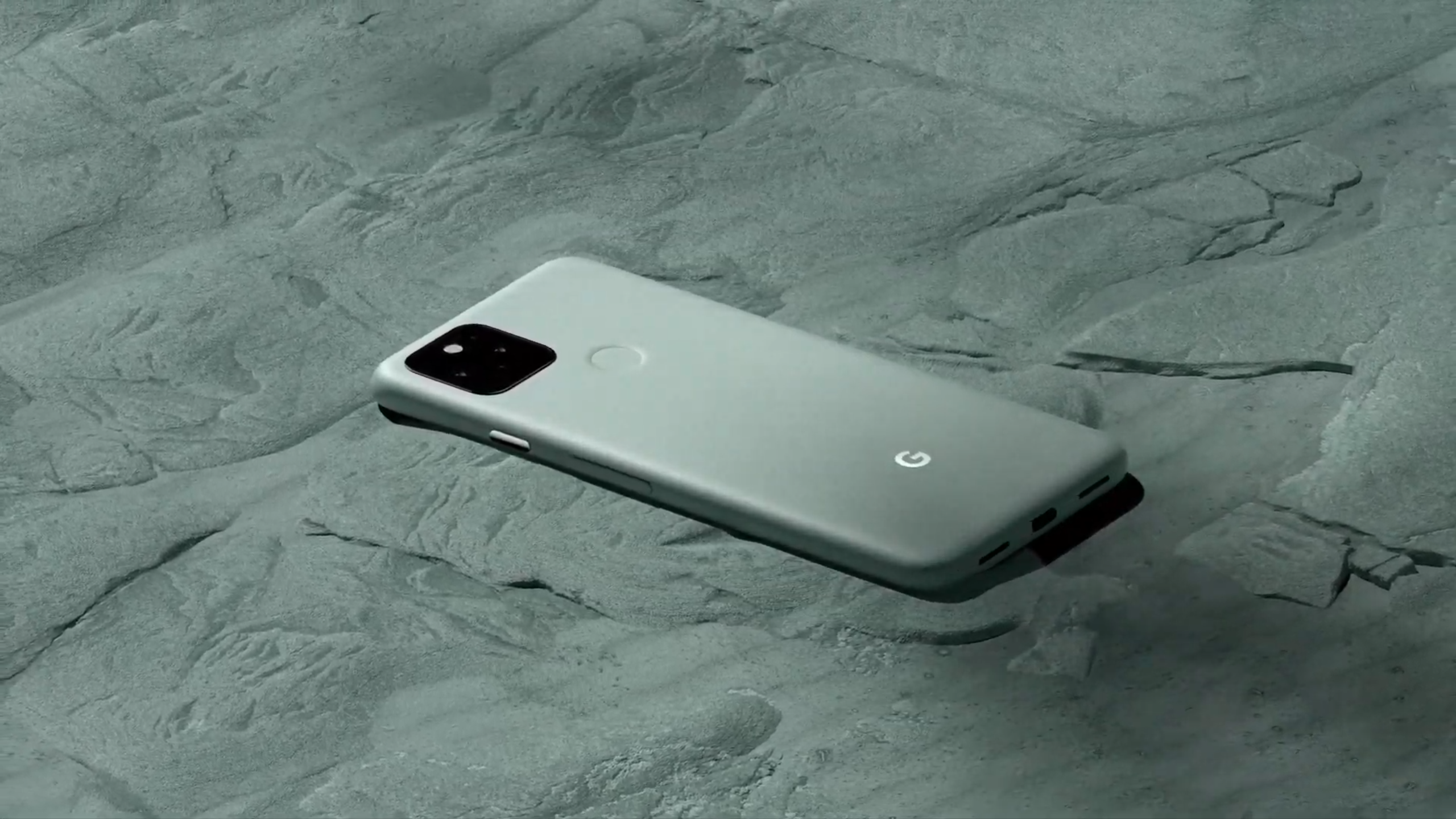
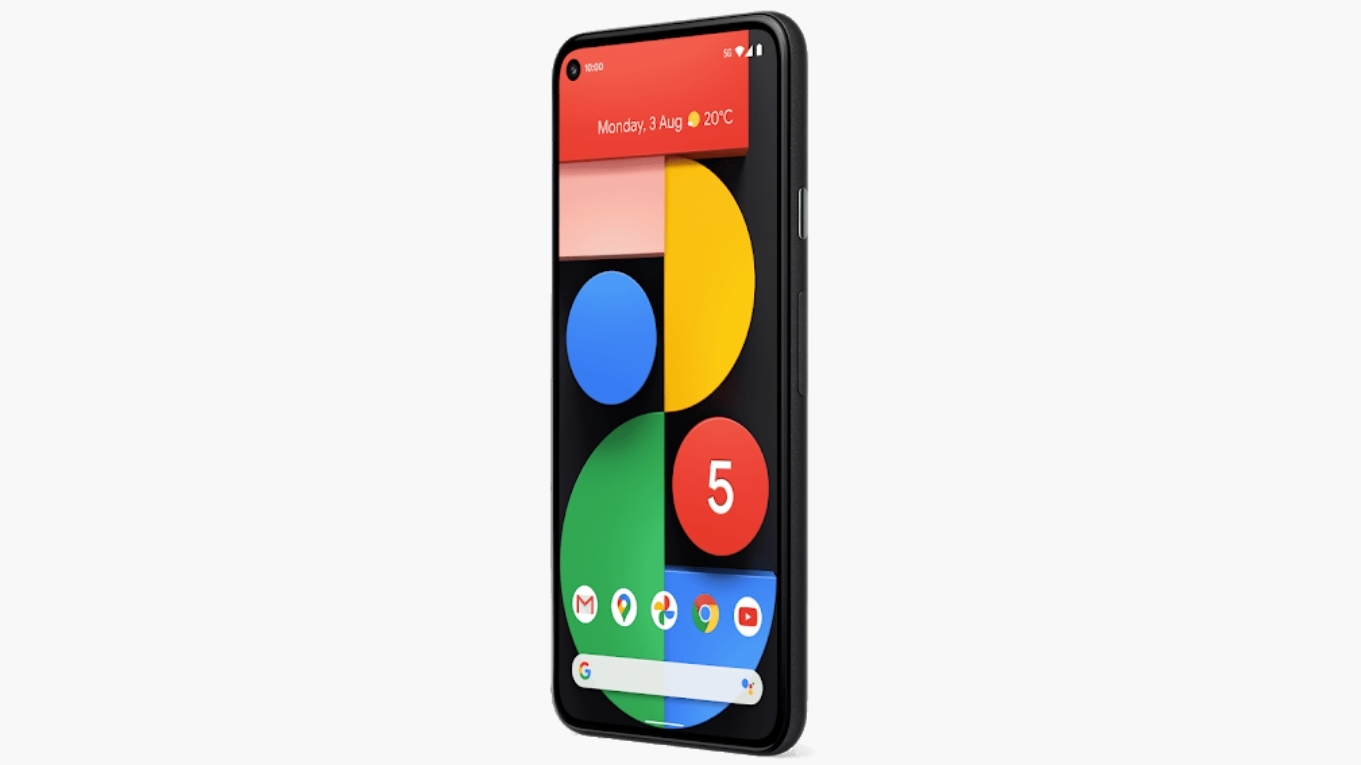
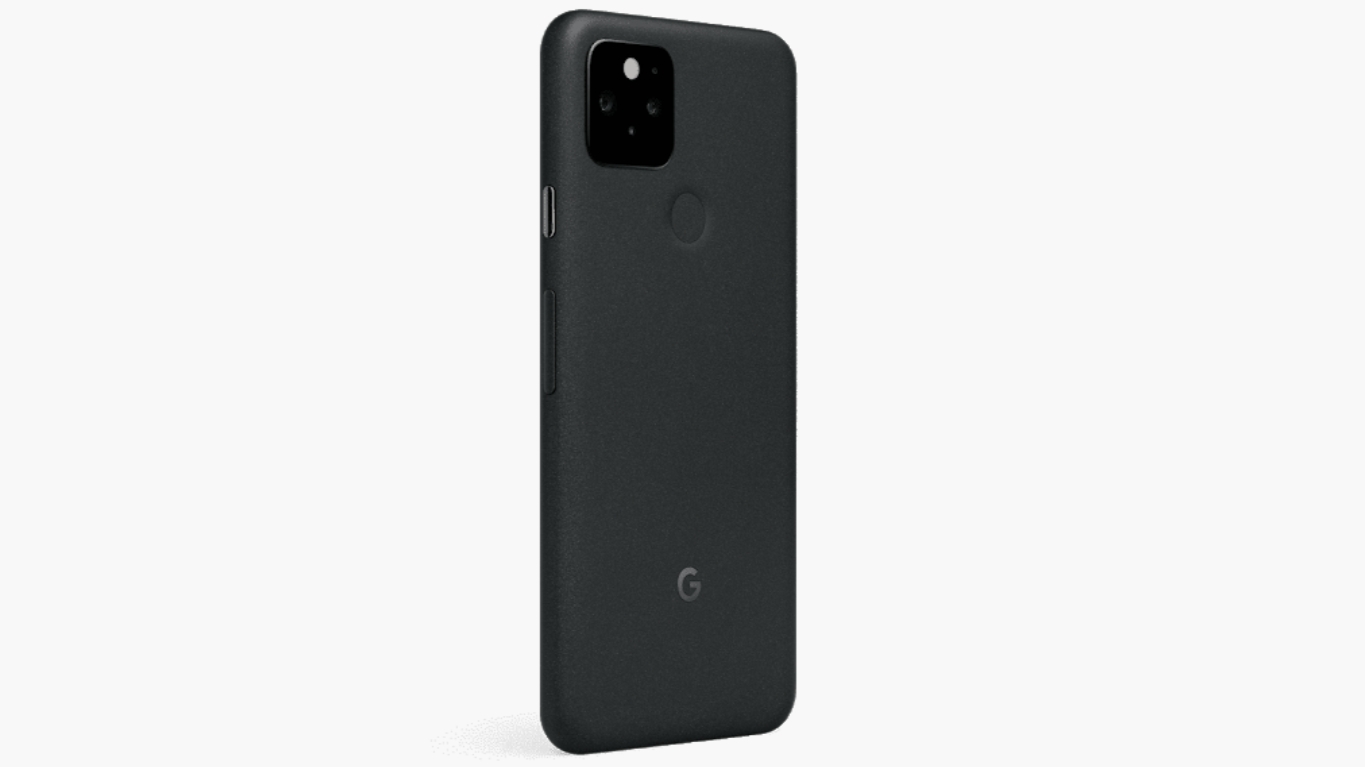
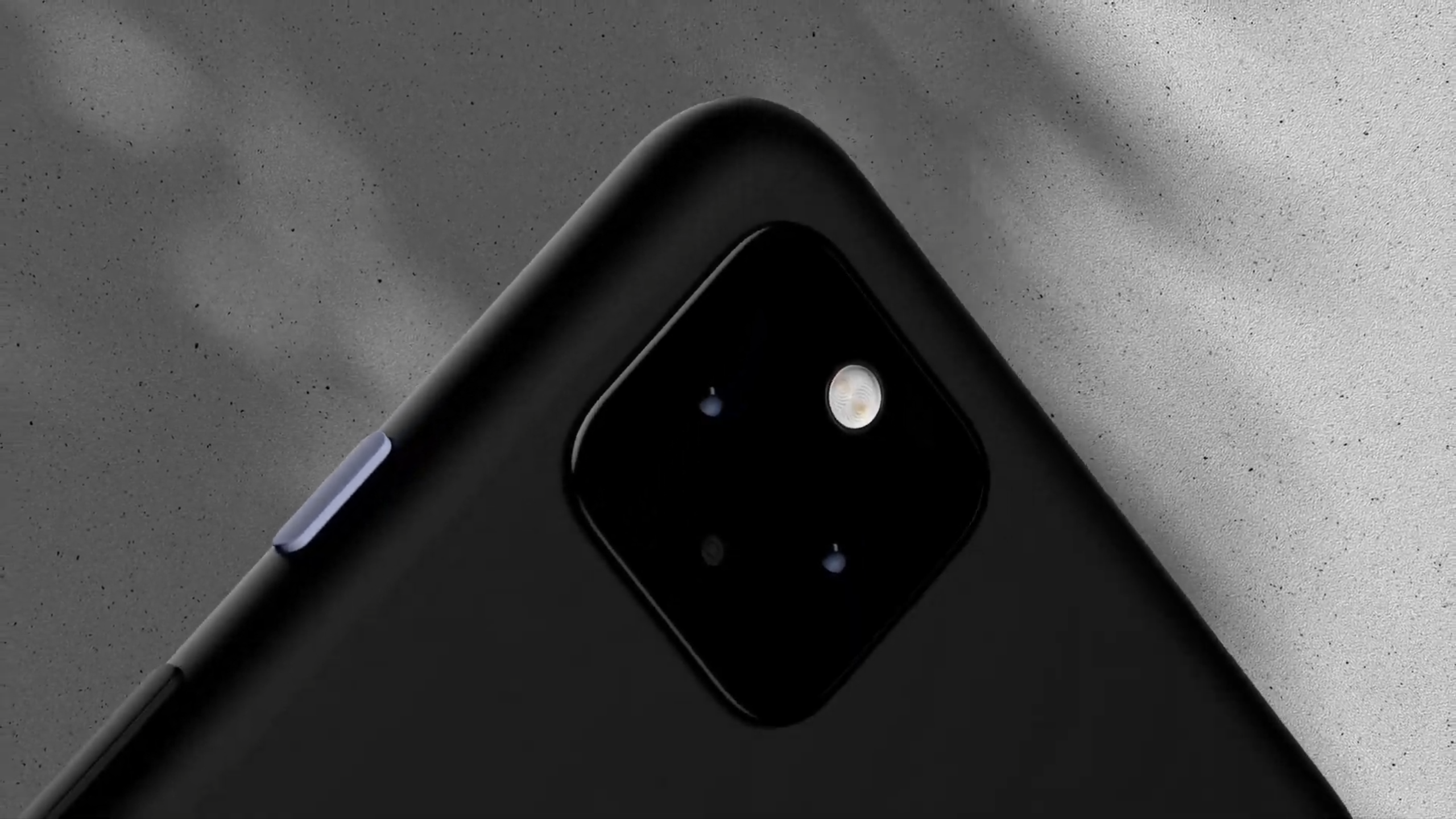
The Google Pixel 5 design is what you see above. The phone comes in two colors with odd names: Sorta Sage (a green color) and Just Black (that's just black). The body of the phone is made of recycled aluminum, which is notable as most phones have a glass or plastic back.

The main reason metal is rarely used is that you can't use wireless charging through metal, yet the Pixel 5 still has that feature because - as revealed by Daniel Bader of Android Central - there’s a small hole on top of the wireless charging coil, which is covered by a resin and painted over to match the aluminum.

Image 1 of 3

Pixel 5

(Image credit: Google)
Image 2 of 3

Pixel 5

(Image credit: Google)
Image 3 of 3

Pixel 4a 5G

(Image credit: Google)

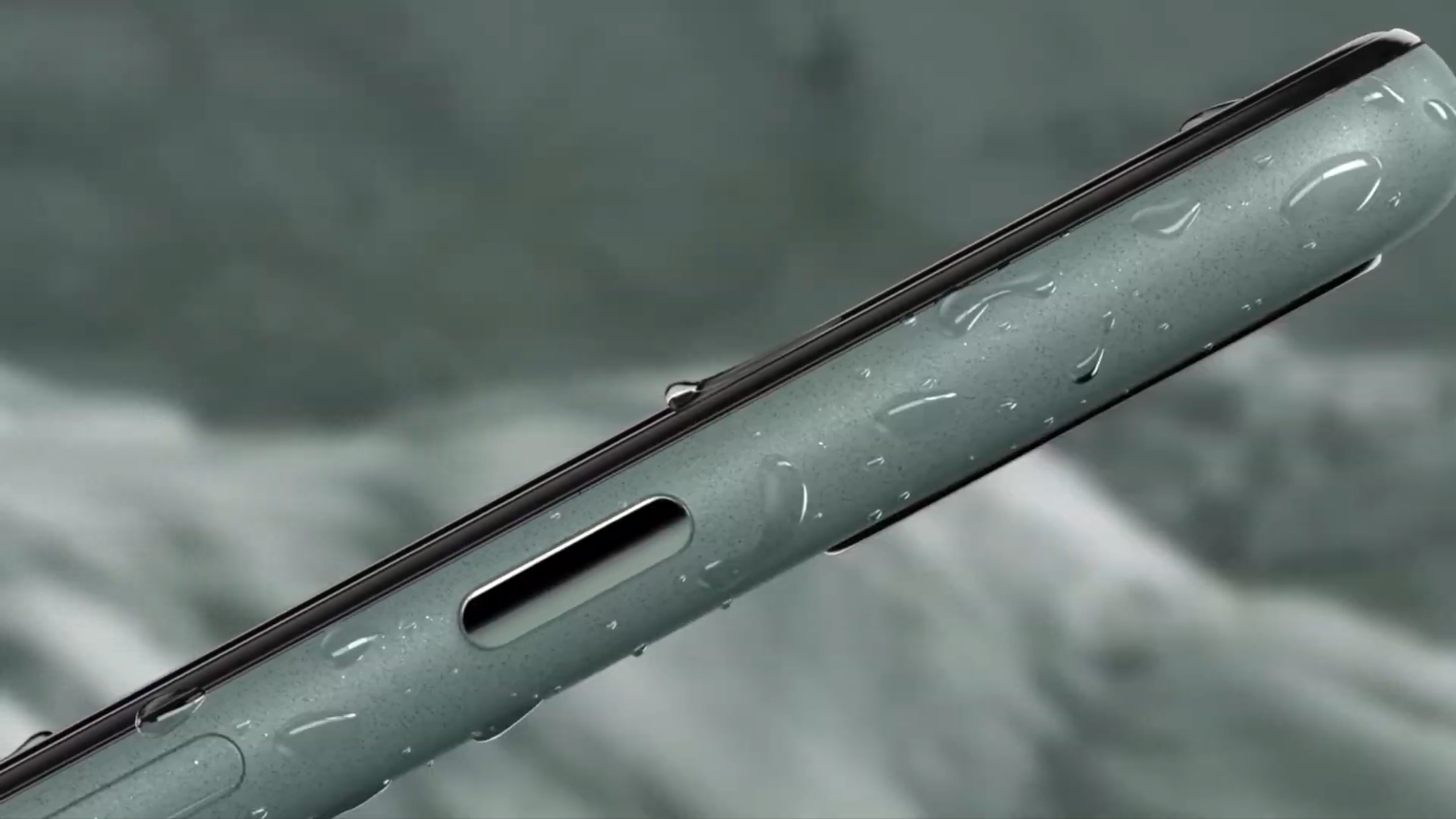
The phone is IPX8 water-resistant, which should mean you're able to submerge this device in water for up to half an hour. The phone weighs 151 grams, and it has dimensions of 144.7 x 70.4 x 8mm.

The Pixel 5 comes with a 6-inch Full HD display with a resolution of 1080 x 2340, which is 432 pixels per inch. It's an always-on display, and it's an OLED panel.

Google has included 90Hz tech here, so the screen refresh rate will be faster than many other devices with smoother scrolling and transitions. That said, this isn't as good as some top-end handsets that feature a 120Hz refresh rate, while the newly announced Xiaomi Mi 10T Pro boasts a 144Hz refresh rate.

Google Pixel 5

(Image credit: Google)

There's a USB-C port at the bottom of the phone, but there's no 3.5mm headphone jack here. The phone also comes with stereo speakers, but there's no 3.5mm audio jack included in the box.

Unlike the Pixel 4, the Pixel 5 comes with a fingerprint scanner. It's on the rear of the phone, and the company has dropped its 3D Face Unlock technology that was housed in the top bezel on last year's phone.

That has allowed Google to trim the bezel at the top of the phone, but it does also mean the company has dropped its Soli gesture technology as well so you won't get that on the Pixel 5.

Google Pixel 5 camera

Image 1 of 1

Google

The Google Pixel 5 (Image credit: Google)

The camera is where there are a few changes for the Google Pixel 5. It features a 12.2MP dual-pixel shooter with 1.4μm pixel width, and there's also a 16MP ultra-wide shooter.

That replaces the telephoto shooter on last year's phone, which some may miss, but it's likely you'll enjoy the wide camera more in everyday usage.

The company's impressive Night Sight and Portrait Modes are returning on the Pixel 5. We've found similar cameras on previous phones to perform brilliantly in our reviews of those older phones, so we're hoping for a similar result here. 

It's worth noting that the new Google Pixel 4a 5G seems to sport exactly the same camera setup though, so if you don't want to spend as much as this phone costs you could always opt for that.

On the front of the phone you'll find an 8MP selfie camera. That seems to be similar to previous phones from Google, which we've found to perform well in our testing.

Google Pixel 5 specs and performance

Google Pixel 5

(Image credit: Google)

Unlike previous Pixel flagships, the Pixel 5 doesn't feature the top-end chipset you'd expect. Instead, the company has opted for a Qualcomm Snapdragon 765G processor, which won't be as powerful as the chipsets you find in phones like the OnePlus 8 Pro or Samsung Galaxy Note 20 Ultra.

That said, the phones we've seen running this chipset have been powerful enough for everyday tasks, so we hope it's a similar story with the Pixel 5 when we're able to try the phone out.

There's 8GB of RAM in the phone, and 128GB of storage. There's no microSD support, and Google has yet to announce any other storage variants for the Pixel 5, so you'll be limited to just 128GB.

There's a 4,080mAh battery inside the phone, and the company has included wireless charging as well. There's also a reverse-charging feature called Battery Share, so you can use your Pixel 5 to charge supported devices.

It supports 18W fast-charging, and the correct charger for you to be able to reach those speeds is included in the box.

Google claims the phone will last a full day from a single charge, and we'll be sure to put that claim to the test in our full review. The Google Pixel 4's battery life wasn't impressive, so we're hoping Google has improved things here.

Google Pixel 5

(Image credit: Google)

You get 5G connectivity on the Pixel 5 as well, but be warned that you'll need to have a 5G contract, and live in area that has 5G connectivity, to make the most of that.

The Google Pixel 5 comes running Android 11 out of the box, which is the company's latest version of its operating system. You can expect this device to get software updates over the next couple of years at least, and it should get them on or near day one.

There are also improvements to Google's own apps that you can get on Pixel. For example, the Recorder app - that's the one that records voice notes and transcribes them automatically - will now allow you to edit out audio when you take it directly out of the transcription.


from TechRadar - All the latest technology news https://ift.tt/34kyjcf
via IFTTT https://ift.tt/33hYHEI

New Amazon Echo, Google devices and Luna: Noise Cancelling podcast episode 32

Can't find the time to keep up with tech news? Looking for some awesome lockdown listening? We have you covered with the Noise Cancelling podcast, which is brought to you by TechRadar and our sister sites Laptop Mag and Tom's Guide.

This week's show is presented by Gareth Beavis, TechRadar's Global Editor-in-Chief, and Sherri L. Smith, Editor-in-Chief of Laptop Mag.

This week our guests are John McCann, TechRadar's Deputy Editor, and Gerald Lynch, Executive Editor at TechRadar, who join us (remotely, of course) to talk about the last seven days in tech.

Week 32: Echo Show 10, Xbox buys Bethesda, Google Event and flying tech

As usual, we're talking about a variety of topics from the world of tech. We begin the show with this week's Big Question: with Amazon releasing a drone that flies around your home, what piece of tech would you like that flies about?

We also share our thoughts on everything announced at the Amazon event 2020, talk about the Echo Show 10 and Amazon's interesting new home security drone. We also touch on Microsoft's acquisition of Bethesda, the Google Event and share some extremely sad news from one of our sister publications.

For all this and more, tune into the all-new Noise Cancelling podcast – you can subscribe on Spotify, grab it on Apple podcasts, or find us wherever you get your pods. New episodes land every Friday.


from TechRadar - All the latest technology news https://ift.tt/36whE8F
via IFTTT https://ift.tt/eA8V8J

Folks: He's Got It

President Trump disclosed via Twitter on Friday morning that he and his wife, Melania, had tested positive for covid-19.

Read more...


from Gizmodo https://ift.tt/33muWm7
via IFTTT https://ift.tt/3jm3jyY

Thursday, October 1, 2020

NRL Finals Week 2020: where to watch the Rugby League qualifiers live online

We've finally entered the closing stages of the 2020 Telstra NRL Premiership and, as always, there's been no shortage of sweat, blood and tears. All those battles and the drama has been for a place in the Grand Final, but before that can happen, the top eight teams will need to fight hard through the qualifying rounds.

And that begins tonight (Friday, October 2).

The road to Grand Final glory kicks off today with the first of four qualifiers this week at 7:50pm AEST, with the Penrith Panthers taking on the Sydney Roosters at Panthers Stadium. 

The Panthers have a hard task ahead as defending champs, Roosters, have won back-to-back Premierships and will be looking to redeem their fourth-place drop in the ladder after losing to the Bunnies.

The excitement, of course, doesn't stop there. Saturday has two qualifiers back-to-back – the Raiders from Canberra will be taking on the Cronulla Sharks at 5:30pm AEST on October 3 at GIO Stadium, after which Melbourne Storm and the Parramatta Eels face off from Suncorp Stadium at 7:50pm AEST.

The fourth match for the first week of qualifiers will be at 4pm AEST on Sunday, October 4, with South Sydney's Rabbitohs against the Newcastle Knights at ANZ Stadium.

How to watch NRL 2020 Finals Week online

The best place to catch all the qualifiers live online would be on Kayo Sports. This streaming service is dedicated to sports and designed to be a die-hard sports fan's best friend.

It's feature-packed with things like SplitView, which lets you watch up to four different streams on the same window, and interactive live stats that are available for all NRL games.

If you happen to miss a game but don't have time to watch a full replay, Kayo Minis will get you up to date with all the highlights in bite-sized clips.

Better yet, the basic Kayo Sports package allows you to stream your favourite sports across two devices simultaneously, or you can opt for the premium package and stream across three different devices at once.

That not enough? Kayo gives you a 14-day free trial to figure out if you'll be happy with the service or not. For a more in-depth look at what the sports streaming service has to offer, check out our Kayo Sports review.

Kayo Sports basic package | 14-day free trial, then AU$25 per month

Kayo’s Basic package will let you live stream and catch up on over 50 sports on two devices at the same time. You’ll have access to Kayo’s features such as SplitView, and you can cancel any time as there’s no lock-in contract.View Deal

How to live stream NRL 2020 Finals Week for free

The Nine Network has broadcast rights to all the qualifier games during Finals Week, meaning you will be able to watch all the qualifiers live and free on Channel Nine. 

That also means you can watch the matches on 9Now, the Nine Network's online platform, where the games will be streamed live.

How to live stream NRL 2020 Finals Week from abroad

League fans currently living outside of Australia, New Zealand or the Pacific Islands can also catch every scrum and try online via the Watch NRL streaming service.

Like Kayo, Watch NRL is a subscription service and has three different plans to choose from:

Weekly: US$17 / £13 / €17 / AU$20 
Monthly: US$33 / £25 / €33 / AU$39 
Annual: US$165 / £130 / €155 / AU$199

For the qualifiers, Watch NRL has a new option called the Finals Pass, which temporarily replaces the monthly plan. It gives customers the ability to watch all the matches during Finals Week as well as the Grand Finals live.

Watch NRL Finals Pass | US$33 / £25 / €33 / AU$39

The contents of this streaming service are only available to view outside of Australia, New Zealand and the Pacific Islands, but a subscription can be purchased from anywhere. It includes every match in the Premiership. Watch NRL allows you to pause and rewind live matches, and also allows you to download matches for offline viewing. While you can watch the livestream on desktop via the website, the Watch NRL app is also available for iOS, Android and Apple TV. You can even cast onto a TV via AirPlay or Google Chromecast.View Deal

If you're currently abroad and aren't too keen on getting yourself a Watch NRL Finals Pass, you will need a VPN, and we've rounded up the best VPN services for you to choose from.


from TechRadar - All the latest technology news https://ift.tt/30rMhrJ
via IFTTT https://ift.tt/3jcZDQA

Reliance Retail gets Rs 6248 crore investment from Mubadala

Reliance Industries' subsidiaries, Jio Platforms and Reliance Retail, seem to be following the same script: Get big-ticket investors to drive growth.

Jio Platforms had 13 investors investing $20.6 billion (Rs 1.52 lakh crore) investing in it. Out of the 13, four have invested in Reliance Retail too. Silver Lake, General Atlantic and KKR had ploughed money into the retail of the Reliance Industries.

And now, as predicted in our report here, Mubadala, has become the fourth investor in Reliance Retail.

Mubadala Investment Company  (Mubadala), the Abu Dhabi-based sovereign investor, will invest Rs 6,247.5 crore ($852.84 million) into Reliance Retail. The investment values Reliance Retail at a pre money equity value of Rs 4.285 lakh crore. Mubadala’s investment will translate into a 1.40%  equity stake in Reliance Retail on a fully diluted basis.

Mubadala had earlier chipped in with $1.2 billion investment in Jio Platforms.

Reliance Retail, through its New Commerce strategy, has started the digitalization of small and unorganised merchants and is committed to expanding the network to over 20 million of these merchants. This will enable the merchants to use technology tools and an efficient supply chain infrastructure to deliver a superior value proposition to their  customers.

Reliance Retail has so far raised Rs 24, 847.5 crore

All 13 investors who had poured huge sums of money in Jio Platforms have been offered a chance to explore investing in the retail unit.

Reliance Retail has since September raised Rs 24,847.5 crore by selling 5.65% of its stake.

Mukesh Ambani, Chairman and Managing Director of Reliance Industries, in a statement said: “We value the  partnership with a knowledge-rich organization like Mubadala and acknowledge their  confidence in our mission to strengthen the core of India’s retail sector – the millions of small  retailers, merchants and shopkeepers – through the power of technology. Mubadala’s  investment and guidance will be an invaluable support in this journey.” 

Khaldoon Al Mubarak, Managing Director and Group CEO, Mubadala Investment  Company, said: "We are pleased to deepen our relationship with Reliance Industries through  this investment in Reliance Retail Ventures. Their vision is the inclusive transformation of  India’s consumer economy through the power of digitization, creating opportunities and  market access for millions of small businesses across the country, and we are committed to  supporting the company’s continuing development."

It may be recalled that addressing shareholders at Reliance Industries 43rd annual general meeting recently, Mukesh Ambani had said "Reliance Retail has received strong interest from strategic and financial investors."

Ambani explained his plans to add newer categories like electronics, fashion, pharmaceutical and healthcare into its omni-channel venture, JioMart.

Jio Mart is positioned to take on Walmart-backed Flipkart and the other behemoth in the business Amazon


from TechRadar - All the latest technology news https://ift.tt/3cNrXWX
via IFTTT https://ift.tt/eA8V8J